How I Do Design (Web, Product, Enterprise UI, UX, and the Stuff in Between).
For years my “process” lived in fragments. Client docs. Internal process notes. Random checklists. Half-baked templates in Apple Notes. I kept rebuilding the same LEGO set from memory every time a new project started.
So this is me finally snapping it into one place. It is based on the same “practical lessons” format as the reference article you shared, but rewritten, reordered, and compressed into a process-first flow that fits how I actually work across enterprise UI, UX, design systems, and front-end reality.
25 Rules I Keep Coming Back To.
Getting Oriented.
- Start with the big idea first. If the concept is fuzzy, every pixel decision becomes a debate. I want the “what are we building and why” to be solid before I touch polish.
- Treat the org as part of the design constraints. Your output can only be as strong as the environment around it. Incentives, approvals, timelines, team maturity. That stuff shapes the interface as much as any UI decision.
- When someone hands you a solution, back up to the problem. I try to get agreement on scope and pain first, then we can explore solutions without marrying the first idea in the room.
- Decide if this is a repeatable process or a one-off project. Repeatable work gets formalized. One-off work gets a method that matches the risk and timeline. Otherwise you end up improvising the same chaos every sprint.
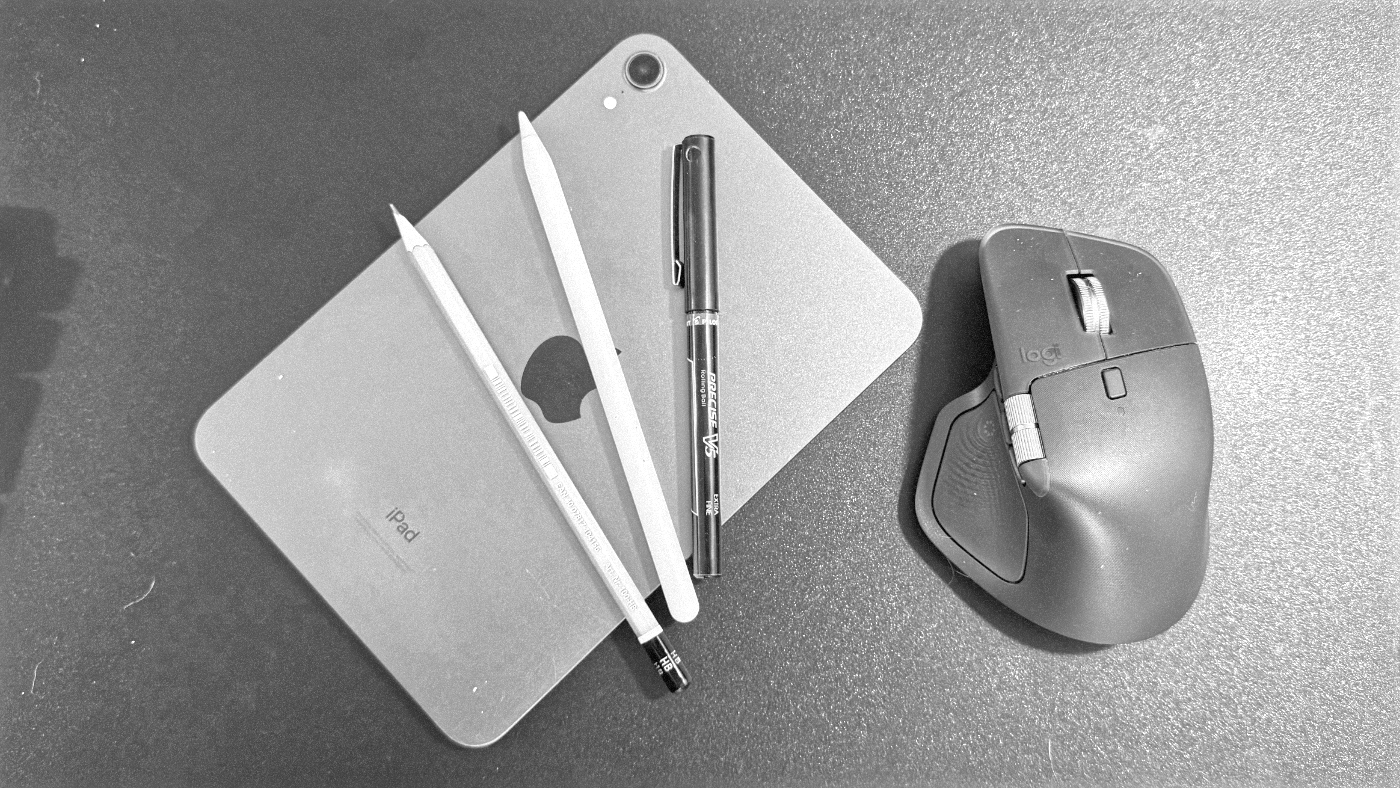
- Sketch early so you can think fast and change fast. Pen-and-paper is like sorting LEGO pieces before you start building. It keeps things fluid and lowers the emotional attachment to any one layout. Lately I have been experimenting more with sketching digitally after getting a Paperlike screen protector for my iPad mini to make it feel more natural.
- Align with stakeholders using rough visuals before you “go serious.” I want the room aligned on goals and direction while changes are still cheap. The prettier it gets, the more expensive disagreement becomes.
- Use patterns for the obvious stuff. Save energy for what is unique. I do not want to spend my life reinventing standard forms and table behaviors. I want my time going into the parts that actually move the needle.
Prototyping, Testing, Iteration.
- Prototype for behavior, not decoration. A prototype should answer questions about flow and interaction. It can be ugly and still be useful.
- Plan the test report before the prototype. Sounds backwards, but it forces clarity. What do we need to learn, and what decision will it influence.
- Make test prototypes feel real enough to trigger real reactions. In enterprise especially, detail design can be the difference between “I noticed it” and “I missed it.”
- Build prototypes to be disposable. Single-purpose, throwaway, done. I do not want a shadow product that only design can maintain.
- Expect research to be questioned only when it surprises people. If results match expectations, everyone nods. If they are unintuitive, suddenly everyone has opinions about your method. Plan for that moment and show your receipts.
Operating Inside Teams and Constraints.
- Balance short-term delivery with long-term foundations. I have seen both failure modes. Only shipping creates brittle systems. Only planning creates paralysis. You need both, like offense and defense.
- Accept that prioritization is never perfect. No method produces guaranteed outcomes. At some point it is judgment, taste, and gut. Also, planning time steals execution time.
- Team chemistry beats process, but process can create chemistry. Good rituals help teams trust each other and move faster. The goal is not “process compliance.” It is momentum without chaos.
- Protect time for kickoff, critique, and research synthesis. These are not luxuries. This is how you prevent rework, build shared understanding, and keep quality from quietly eroding.
- Scope your feedback requests. “Thoughts?” is how you get 40 comments on a thing you might throw out tomorrow. Ask for review on the specific risk area.
- Work with the team you have, then improve the system for the next one. Sometimes the team composition does not match the ideal process. Make the best of it now, then fix the org inputs so the next team is healthier.
Communication, Transparency, and Managing Reactions.
- Default to transparency. Give people access. Include non-designers earlier. The more you bring others in, the fewer high-stakes “big reveal” meetings you need.
- Use whatever communication format the org actually responds to. If the place runs on decks, you make the deck. It is not my favorite either, but it is a delivery mechanism.
- Expect emotional reactions. Do not mirror them. Design triggers visceral responses. If someone reacts strongly, I try to convert that into signal instead of getting defensive.
- A design only “works” if every critical layer works. Interaction, content, hierarchy, typography, accessibility, performance. One failure can sink adoption. Something can look good without being good.
- Do not design to impress other designers. I care about clarity, speed, trust, and inclusion. That is the scoreboard.
Systems, Engineering, and Publishing What You Learn.
- Treat design and front-end as one continuum, not a handoff wall. That separation is mostly cultural. If you can build a design system in a design tool, you can learn enough CSS to understand what you are asking engineers to do. Also, component libraries belong in code, documented on a site the whole team can use. And yes, rigid libraries can slow you down when your product needs to bend. The “speed benefit” disappears once engineers are fighting the framework. Personal reference point: my Design Systems Checklist is literally me trying to make this practical and repeatable.
- Write what you learn, but keep your own blog as the source of truth. I will post on Medium, LinkedIn, or wherever for discovery. But the canonical version lives on my site so it is not gated, not buried, and not at the mercy of platform rules. Platforms are distribution. Your blog is the archive. Also, do not be dogmatic. Design is too contextual for religion.
Still Curious?
Browse One of My Other Case Studies, Writings, Resources, Or Reach out for a Chat.
You can contact and connect with me through email, on Dribbble, or LinkedIn as well.